

Description
Present features, team profiles, and stats in stunning, professional-grade cards — built in seconds, right inside the Gutenberg editor.
Cards Layout is a powerful and flexible Gutenberg block plugin designed to help you create polished, responsive card layouts instantly. Whether you want to highlight core features, display achievements, or build high-converting landing pages, Cards Layout provides a native, ultra-fast solution.
🌟 Why Choose Cards Layout?
- ⚡ Native & Lightweight: Built specifically for the Gutenberg editor for blazing-fast page load speeds.
- 📱 Fully Responsive: Dedicated grid and column controls optimized for Desktop, Tablet, and Mobile devices.
- 🎨 Highly Customizable: Take total control of typography, global multi-state box shadows, borders, padding, and alignments.
🔥 Free Features Included
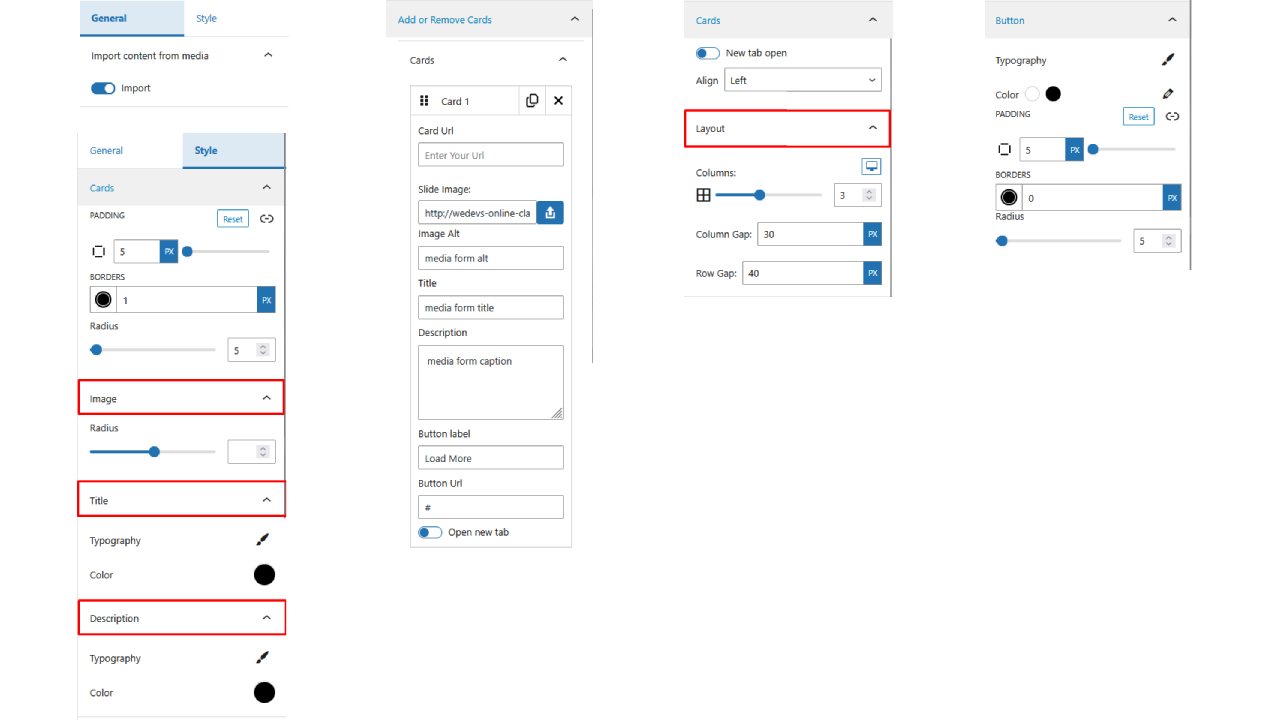
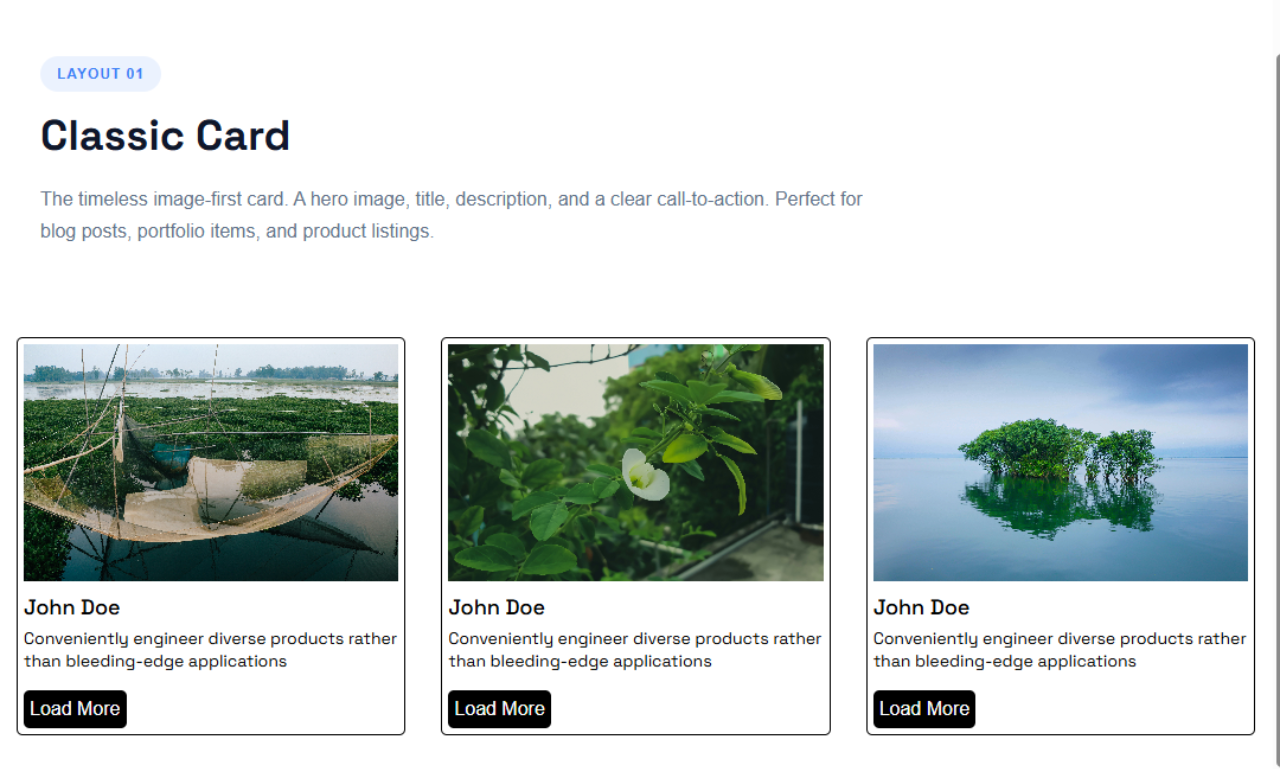
- Default Card: The perfect minimal layout for general content with an image, title, description, and call-to-action buttons.
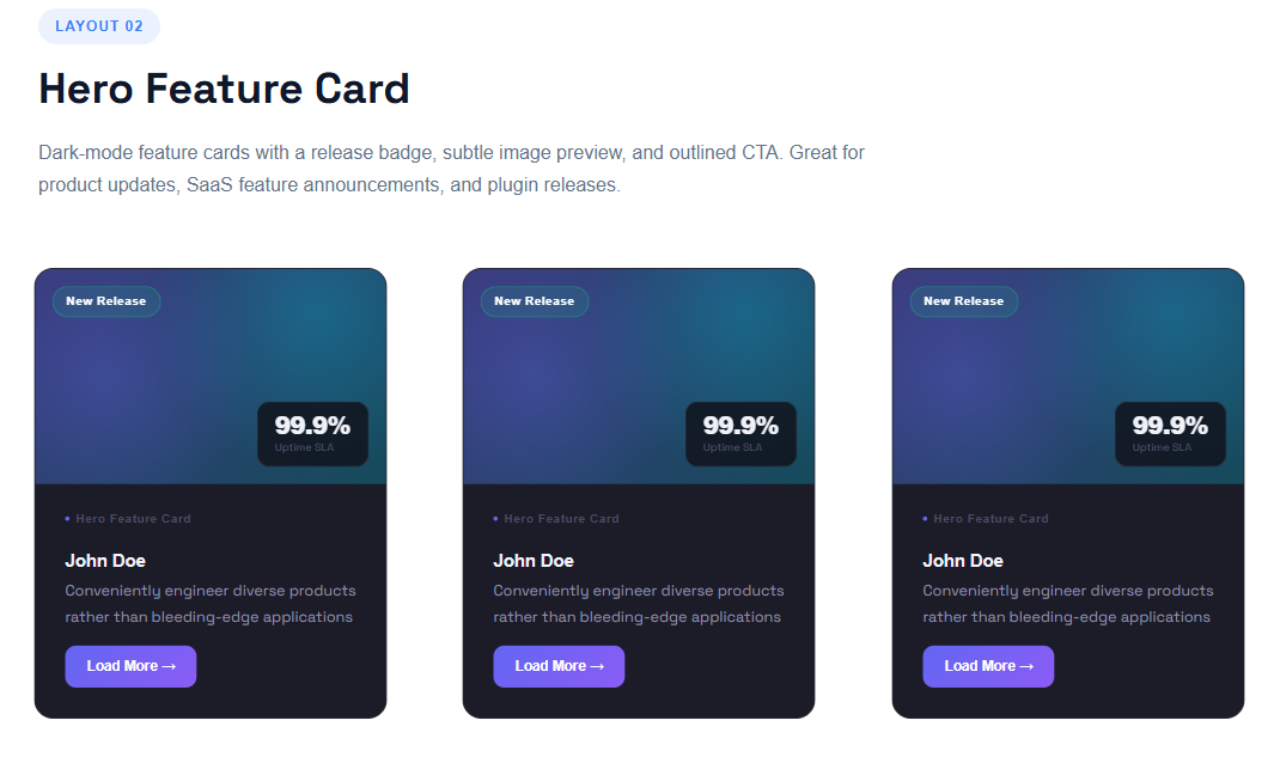
- Hero Feature Card: Prominent split-design card featuring advanced focal point controls, overlay gradients, floating badges, and stat highlights.
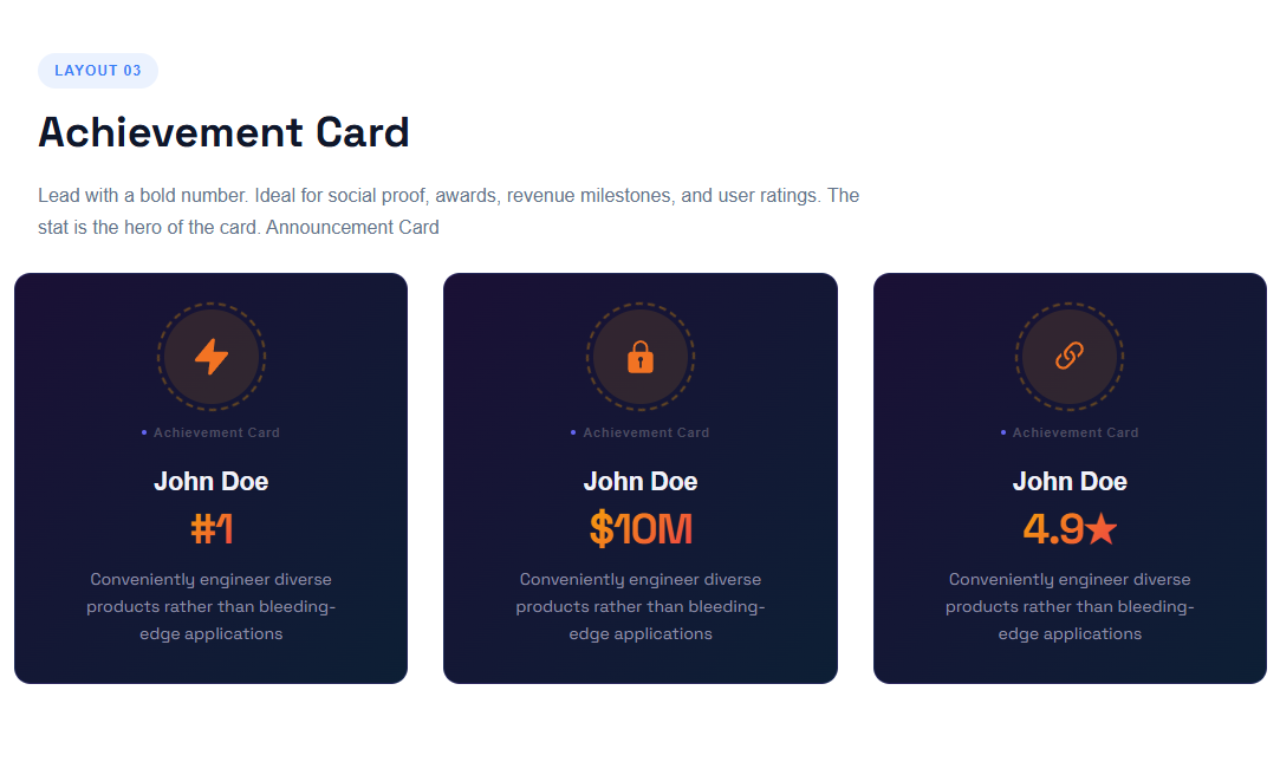
- Achievement Card: Highlight major milestones with a large metric display and dynamic spinning SVG badge animations.
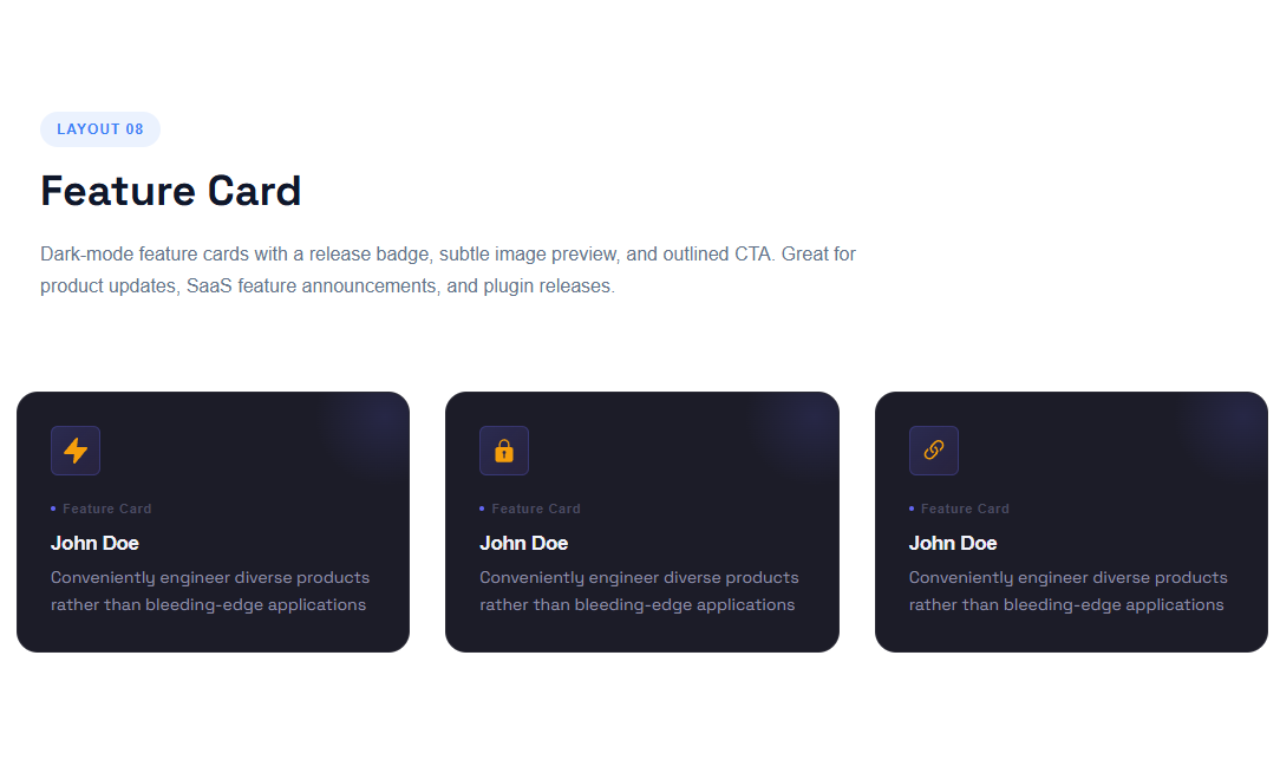
- Feature Card: Modern, sleek card layout designed to emphasize key product features and benefits.
- Responsive Grid Engine: Easily adjust column counts and gap spacing for flawless multi-device layouts.
- Advanced Global Styling: Fine-tune every style parameter right from the Gutenberg block sidebar.
👑 Unlock Maximum Potential with Cards Layout Pro
Take your website design to the next level with premium layout components available in Cards Layout Pro:
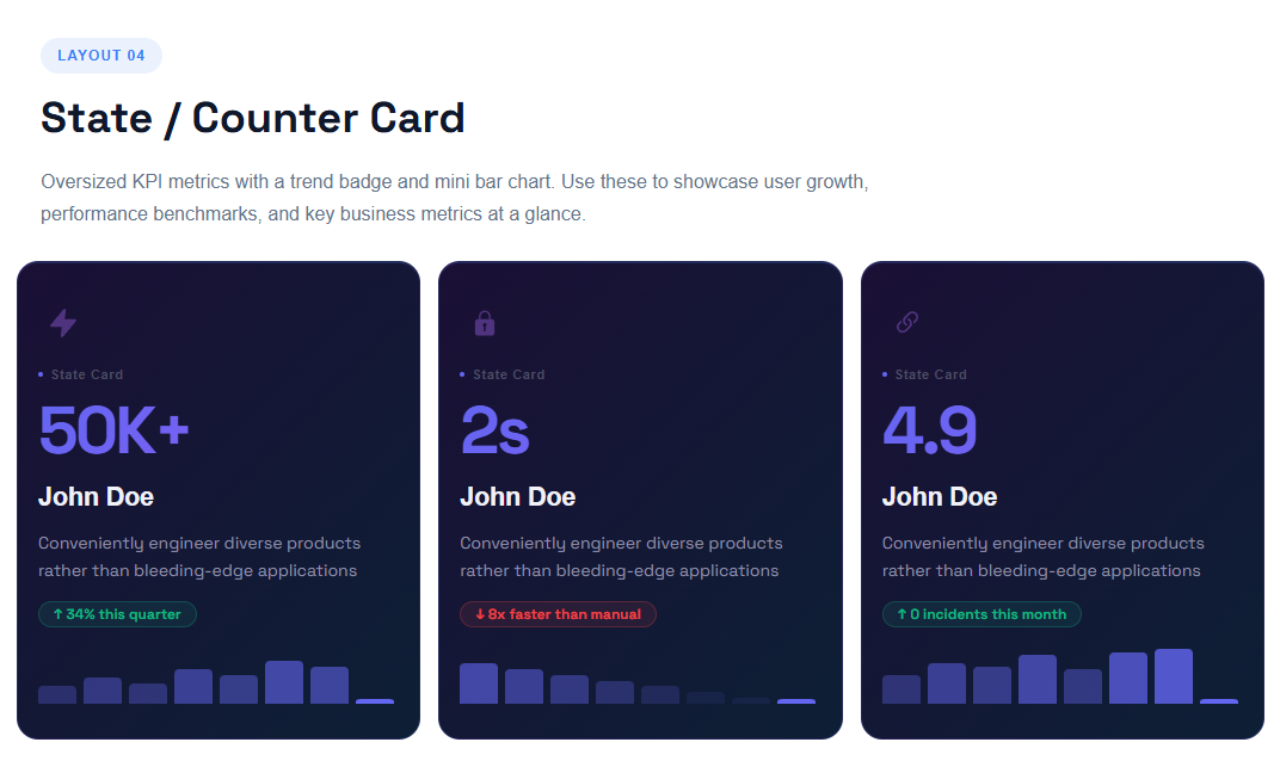
- State / Counter Card: Dynamic statistic cards featuring up/down trend ribbons and visual sparkline graphs.
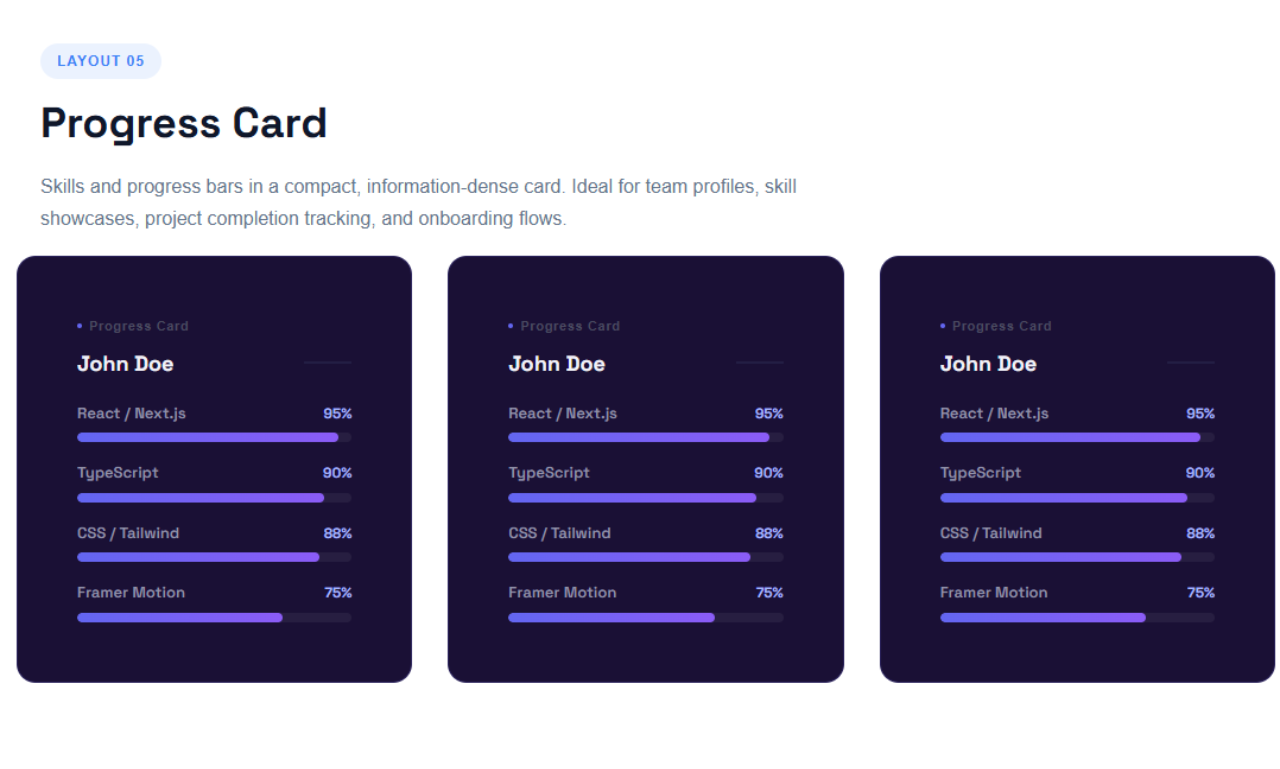
- Progress Card: Skill levels or project tracking bars featuring custom gradient styles.
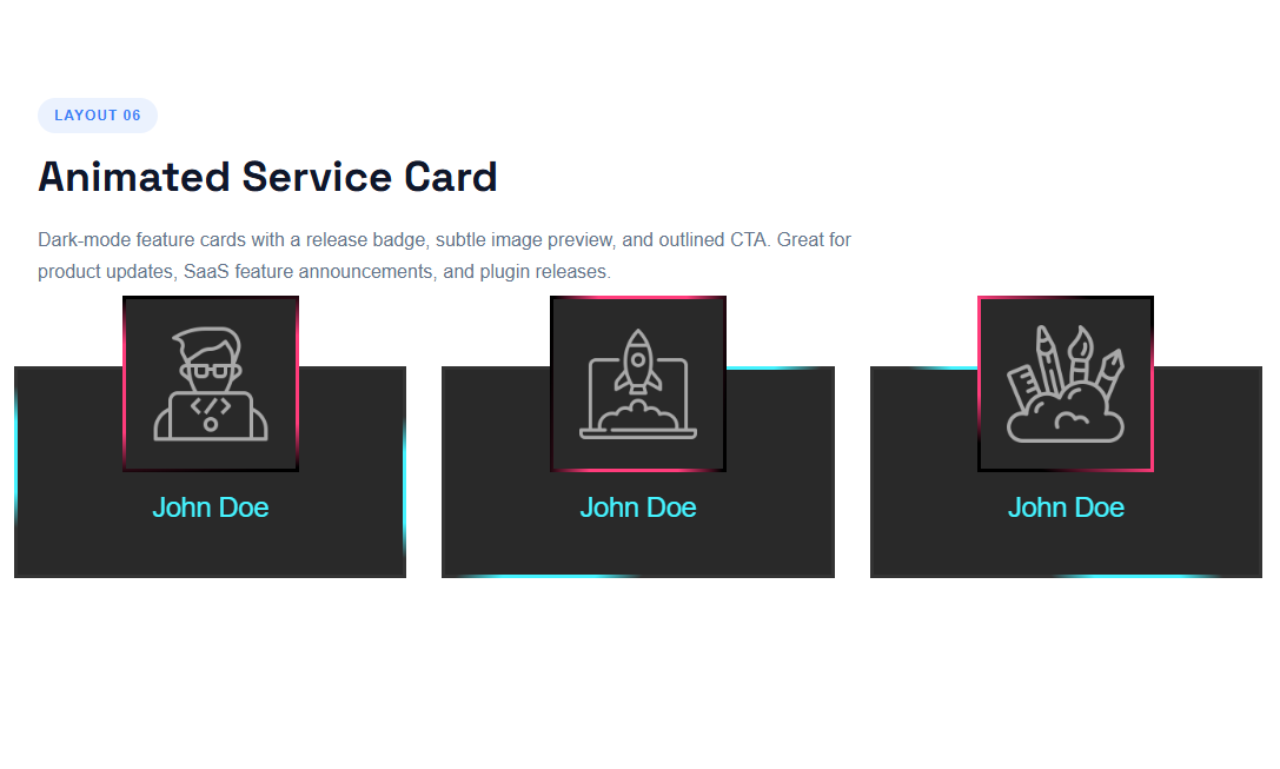
- Animated Service Card: Glowing animated border gradients and dynamic hover growth effects.
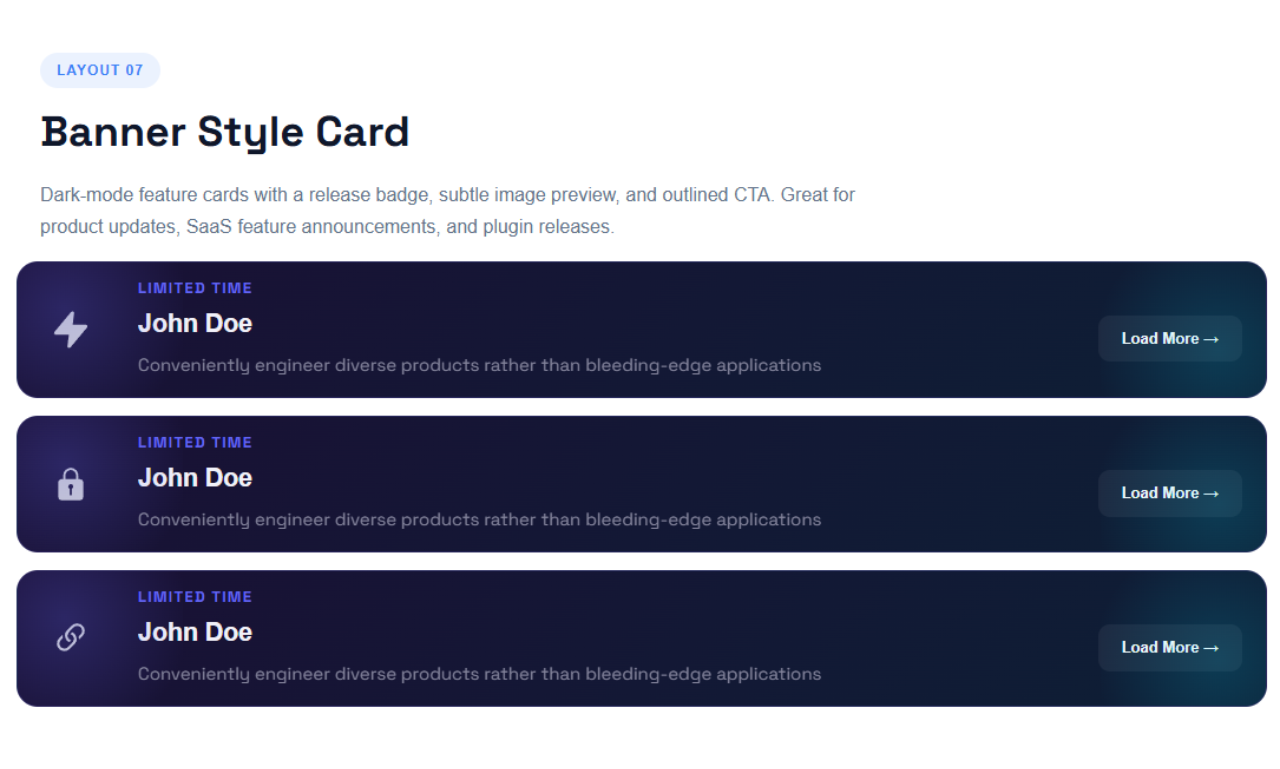
- Banner Card: Full-width promotional layouts with Glassmorphism blur effects and eyebrow taglines.
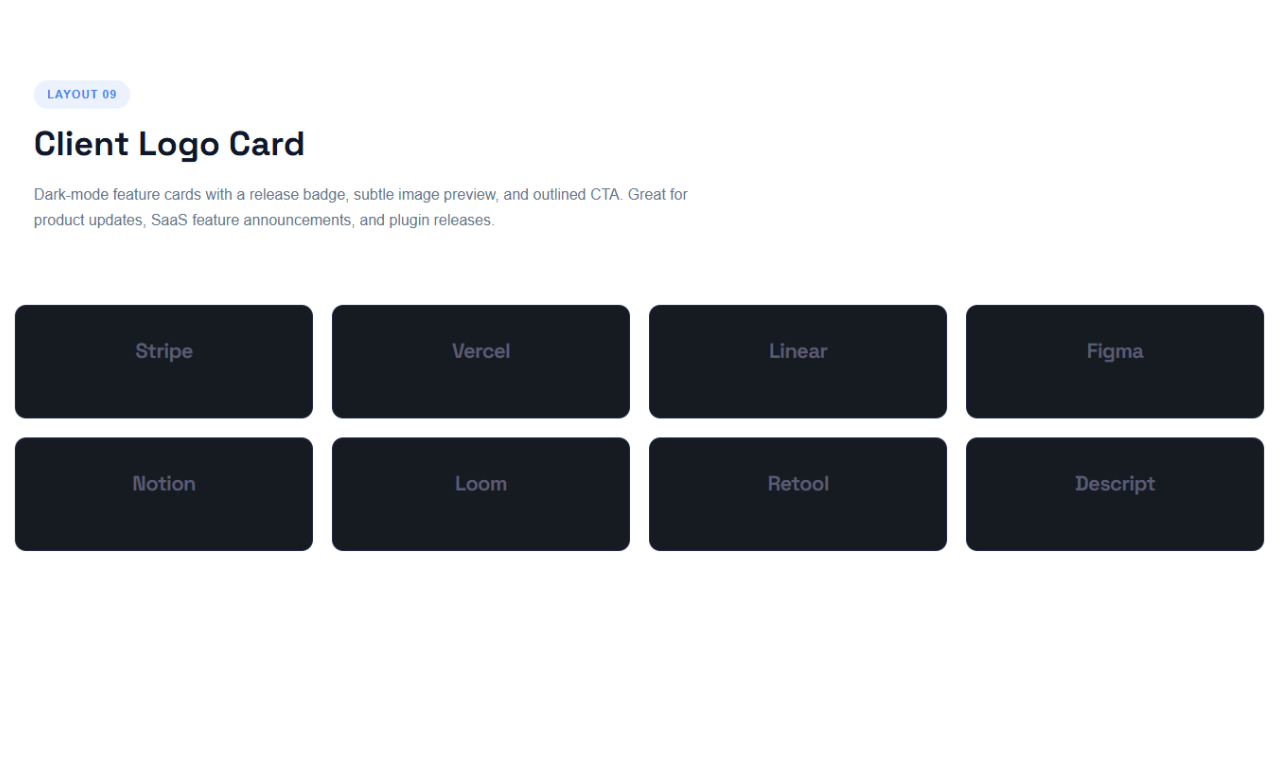
- Client Logo Card: Specialized minimal brand showcases with hover color states.
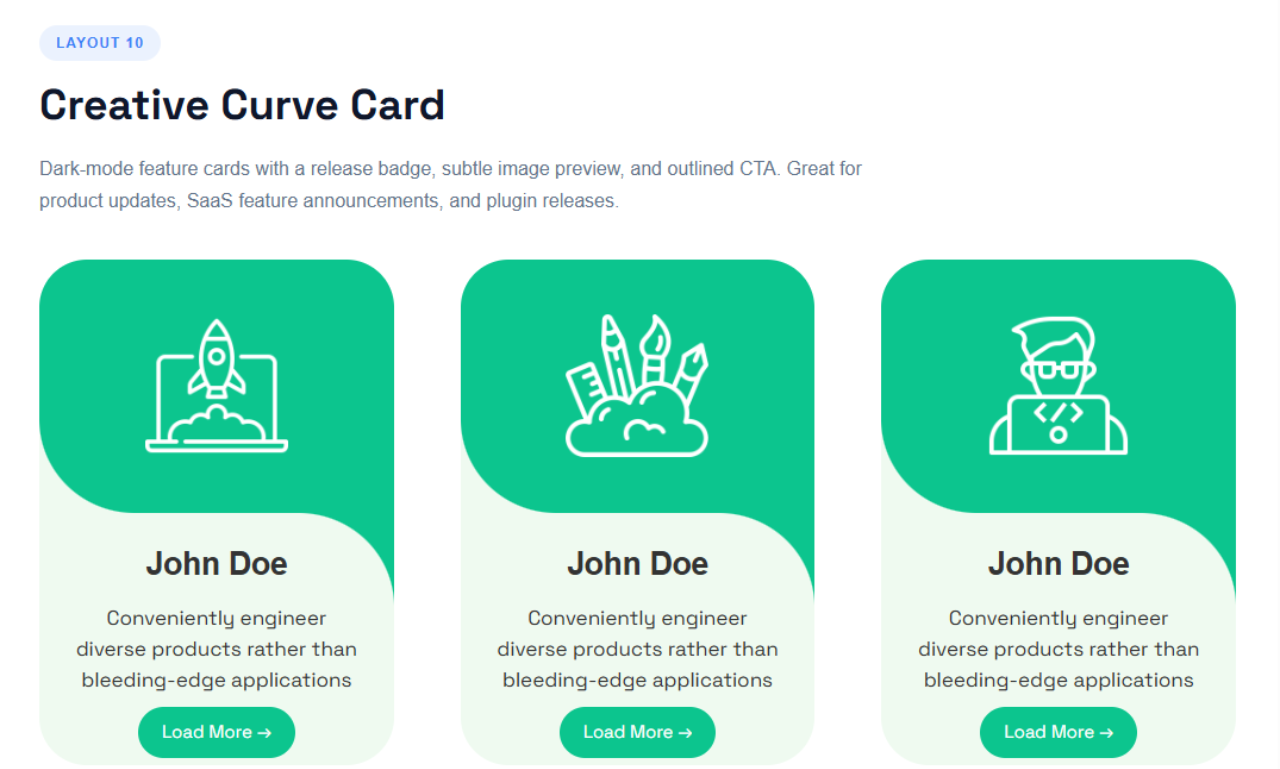
- Creative Curve Card: Highly stylized layout featuring a seamless SVG/CSS cutout connecting icons to content.
Use Cases
- Feature Highlights: Present product or service benefits in clean, scannable cards.
- Team Profiles: Showcase team members with image-led cards.
- Achievements & Metrics: Display milestones and key numbers with animated badge cards.
- Landing Pages: Build polished, responsive card grids that look great on every device.
Did you find a bug or have a feature request? Please share your feedback with us.
Check out our other WordPress Plugins
🎵 Html5 Audio Player – Best audio player plugin for WordPress.
🎬 Html5 Video Player – Best video player plugin for WordPress.
📄 PDF Poster – A fully-featured PDF Viewer Plugin for WordPress.
📑 Document Embedder – Best WordPress Document Embedder Plugin.
🧊 3D Viewer – Display interactive 3D models on the webs.
📰 Advanced Post Block – Best Post Display Plugin for WordPress.
Source Code
Contribute, report bugs, or view the source code on GitHub 👉
Cards Layout GitHub
External Services
This plugin bundles the following third-party JavaScript/PHP libraries.
bPlugins Products API
- Endpoint: https://api.bplugins.com/
- Used for: Displaying pricing and product information in the admin dashboard.
- Data sent: Plugin ID (non-personal), no user data.
- Terms of Service: https://bplugins.com/terms-of-service/
- Privacy Policy: https://bplugins.com/privacy-policy/
Freemius (wp.freemius.com)
- Endpoint: https://wp.freemius.com/
- Used for: Processing plugin opt-in consent form submissions.
- Data sent: Only after explicit user opt-in — user name, email, site URL, WP/PHP version, plugin version.
- Terms of Service: https://freemius.com/terms/
- Privacy Policy: https://freemius.com/privacy/
SVG Icons (Font Awesome, Lucide, etc.)
- Purpose: Provides scalable vector icons used for UI elements.
- Note: This plugin does not load the full Font Awesome or Lucide libraries. Instead, specific icons are included directly as inline SVGs in the source code to keep the plugin lightweight and performant.
WordPress.org Plugins API
- Service: WordPress.org Plugins Info API –
https://api.wordpress.org - What it does: The dashboard queries the public WordPress.org Plugins API to list other plugins published by the author (titles, icons, ratings, active installs, etc.).
- What data is sent: A public, read-only query request (e.g.
https://api.wordpress.org/plugins/info/1.2/?action=query_plugins&request[author]=bplugins). No personal data is sent. - When: Only while an administrator is viewing the plugin’s dashboard in wp-admin.
- Terms of Service: https://wordpress.org/about/privacy/
- Privacy Policy: https://wordpress.org/about/privacy/
Third-Party Libraries
Immer
- Version: 11.1.8
- Source: https://immerjs.github.io/immer/
- GitHub: https://github.com/immerjs/immer
- License: MIT
- Purpose: Used for managing immutable state in a more convenient way.
React Router DOM
- Version: 7.15.0
- Source: https://reactrouter.com/
- GitHub: https://github.com/remix-run/react-router
- License: MIT
- License URL: https://github.com/remix-run/react-router/blob/main/LICENSE.md
- Purpose: Used for client-side routing and navigation within the plugin’s React-based admin application and settings interface.
- External Services: None. React Router DOM operates entirely within the browser and does not communicate with external services.
bpl-tools
- Source / GitHub: https://github.com/bPlugins/bpl-tools
- License: GPL-2.0-or-later: https://www.gnu.org/licenses/gpl-2.0.html
- Purpose: Shared utility library providing admin dashboard components and common Gutenberg editor controls.
- External Services: The library may connect to bPlugins, WordPress.org, and Freemius services for product data and checkout functionality. See full details: https://github.com/bPlugins/bpl-tools#external-requests–why-they-are-made
Freemius Lite SDK
- Version: 2.2.0
- Source: https://bplugins.com/
- GitHub: https://github.com/bPlugins/freemius-lite-sdk
- License: GPL-2.0-or-later – https://www.gnu.org/licenses/gpl-2.0.html
- Purpose: Provides an opt-in consent form for usage tracking and analytics to help improve the plugin. No data is sent before explicit user consent.
- External Services: Communicates with
api.bplugins.com(activation events) andwp.freemius.com(opt-in processing) only after user opt-in. See bPlugins Privacy Policy and Freemius Privacy Policy.
Screenshots
Blocks
This plugin provides 1 block.
- Cards Layout Build responsive, customizable card components with multiple layouts and dynamic styles in the Gutenberg editor.
Installation
From your WordPress dashboard (recommended):
- Go to Plugins Add New.
- Search for “Cards Layout”.
- Click Install Now, then Activate.
- Add the Cards Layout block to any post or page from the Gutenberg editor.
Manual installation:
- Download the plugin ZIP file and upload the folder to the
/wp-content/plugins/directory (or upload the ZIP via Plugins Add New Upload Plugin). - Activate the plugin through the Plugins menu in WordPress.
- Add the block from the Gutenberg editor and start building cards.
FAQ
-
Does it work with any WordPress theme?
-
Yes, it works with any standard WordPress theme.
-
Can I change the block settings?
-
Yes, you can change all block settings from the Gutenberg editor’s right sidebar – layouts, columns, typography, shadows, borders, padding, and alignments.
-
How many times can I reuse the block?
-
There is no limit – you can use the block as many times as you want, on as many pages as you want.
-
Which card layouts are included for free?
-
The free version includes the Default Card, Hero Feature Card, Achievement Card, and Feature Card, plus the responsive grid engine and global styling controls.
-
Are the cards responsive on mobile?
-
Yes. The responsive grid engine gives you separate column count controls for desktop, tablet, and mobile, along with gap spacing options.
-
Do I need to know how to code to use this plugin?
-
No. Everything is configured visually inside the Gutenberg editor – no coding required.
-
Where can I get support?
-
You can post your questions on the support forum here.
Reviews


Contributors & Developers
“Cards Layout – showcase content in responsive card grids” is open source software. The following people have contributed to this plugin.
Contributors


Translate “Cards Layout – showcase content in responsive card grids” into your language.
Interested in development?
Browse the code, check out the SVN repository, or subscribe to the development log by RSS.
Changelog
2.0.3 – 4 June, 2026
- Removed free-version frontend attribute restrictions that could be interpreted as locked functionality.
- Refactored frontend rendering logic to ensure all available free features remain fully functional.
- Fixed invalid GitHub repository URL in readme documentation.
- Added complete External Services documentation for bPlugins API usage, including purpose, transmitted data, Terms of Service, and Privacy Policy references.
- Improved shortcode rendering and output sanitization following WordPress security and escaping best practices.
- Performed additional codebase audit for WordPress.org Plugin Directory compliance.
- Updated plugin documentation and metadata.
- General code cleanup and maintenance improvements.
2.0.2 – 13 May, 2026
- Removed all Freemius-based feature gating and premium license checks from the plugin codebase.
- Removed locked/blurred Pro-only layouts and any restricted built-in functionality to comply with WordPress.org Guideline #5 (Trialware).
- Removed
PHCLB_HAS_PRO,cl_fs()->can_use_premium_code(), and related conditional premium access logic. - Cleaned block editor, admin dashboard, and frontend UI from upgrade-lock states and restricted feature handling.
- Updated plugin architecture to ensure all included features are fully functional without license activation.
- Added publicly accessible source code references and development documentation in the plugin readme.
- Included documentation for build tools and asset generation workflow for JavaScript/CSS files.
- Ensured generated assets in
/buildhave corresponding human-readable source files available. - Improved plugin compliance with WordPress.org Guideline #4 (Human Readable Code).
- Performed a full plugin audit for WordPress coding standards, security, and repository compliance.
- Tested plugin on a clean WordPress installation with
WP_DEBUGenabled. - General code cleanup, optimization, and maintenance improvements.
2.0.1 – 26 April, 2026
- Enhanced block title for clearer identification.
- Improved user interface for better accessibility.
2.0.0 – 21 April, 2026
- Major Release: Introducing a new layout engine!
- New Layouts: Hero Feature Card, Achievement Card, Feature Card.
- Added Responsive Grid Engine for Desktop, Tablet, and Mobile column controls.
- Added granular Icon Wrap Size controls for independent scaling.
- Added dynamic Card Tags across multiple layouts.
- Added customizable badge animation speed for Achievement Card.
- Codebase optimization and bug fixes.
1.1.4 – 29 July, 2025
- focalPoint added good feature;
1.1.3 – 27 July, 2025
- Import content from image media;
1.1.2 – 9 July, 2025
- Image border radius and card content align option added
1.1.1 – 6 July, 2025
- Card URL and button URL now open in a new tab;
1.1.0 – 4 July, 2025
- Default layout available
- Set card border, padding, and border radius
- Customize card title, description, and button typography, color, padding, and border radius
1.0.0
- Initial Release